Get started with ChatBrawl
Choose your AIs, send once, compare answers, and follow up with @.
Get started in three steps.
- Install and sign in: Install ChatBrawl and sign in to the AI sites you use.
- Select and send: Choose the AI sites you want to use and send the same question. Send attachments only to sites that support the file type.
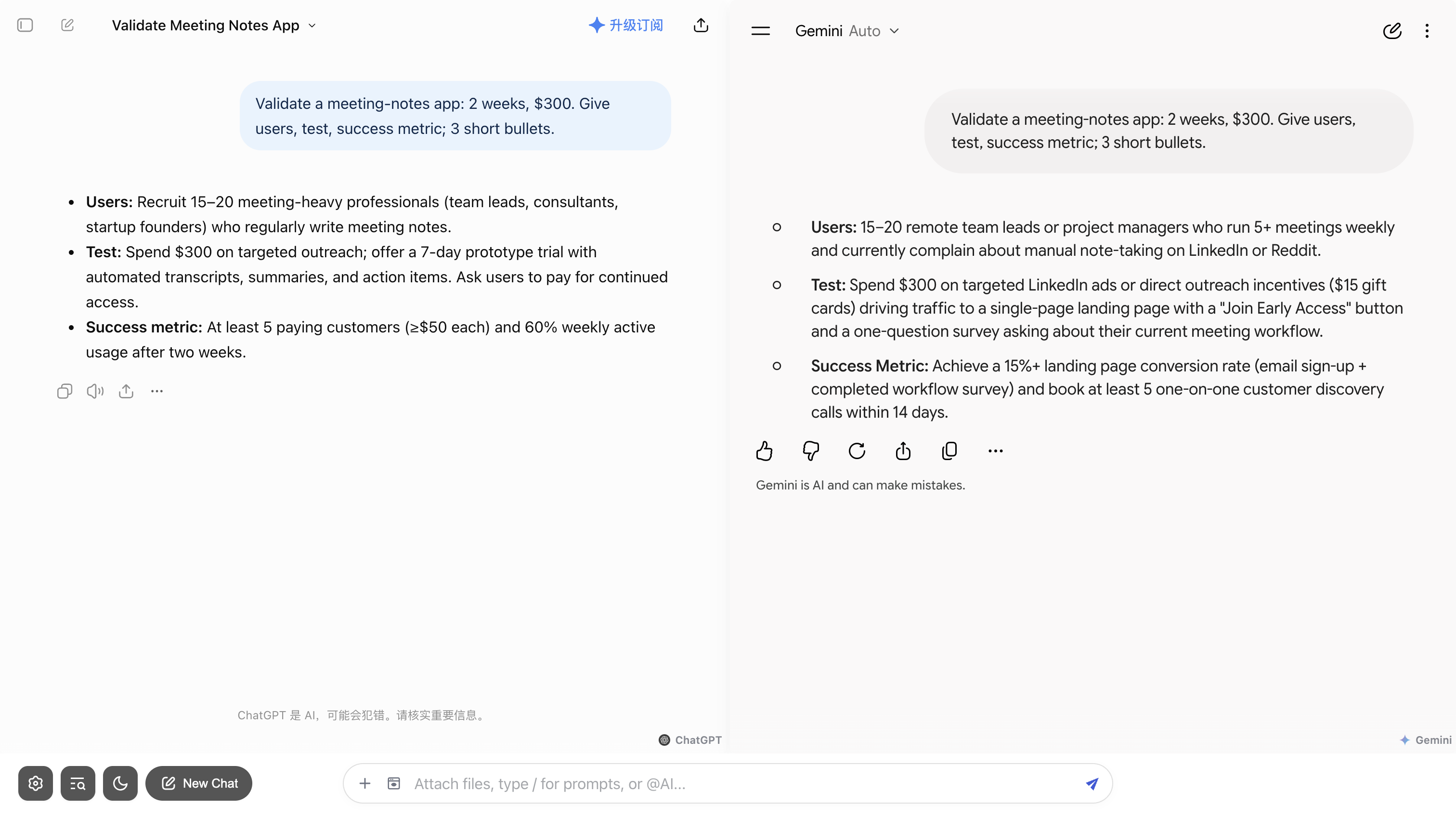
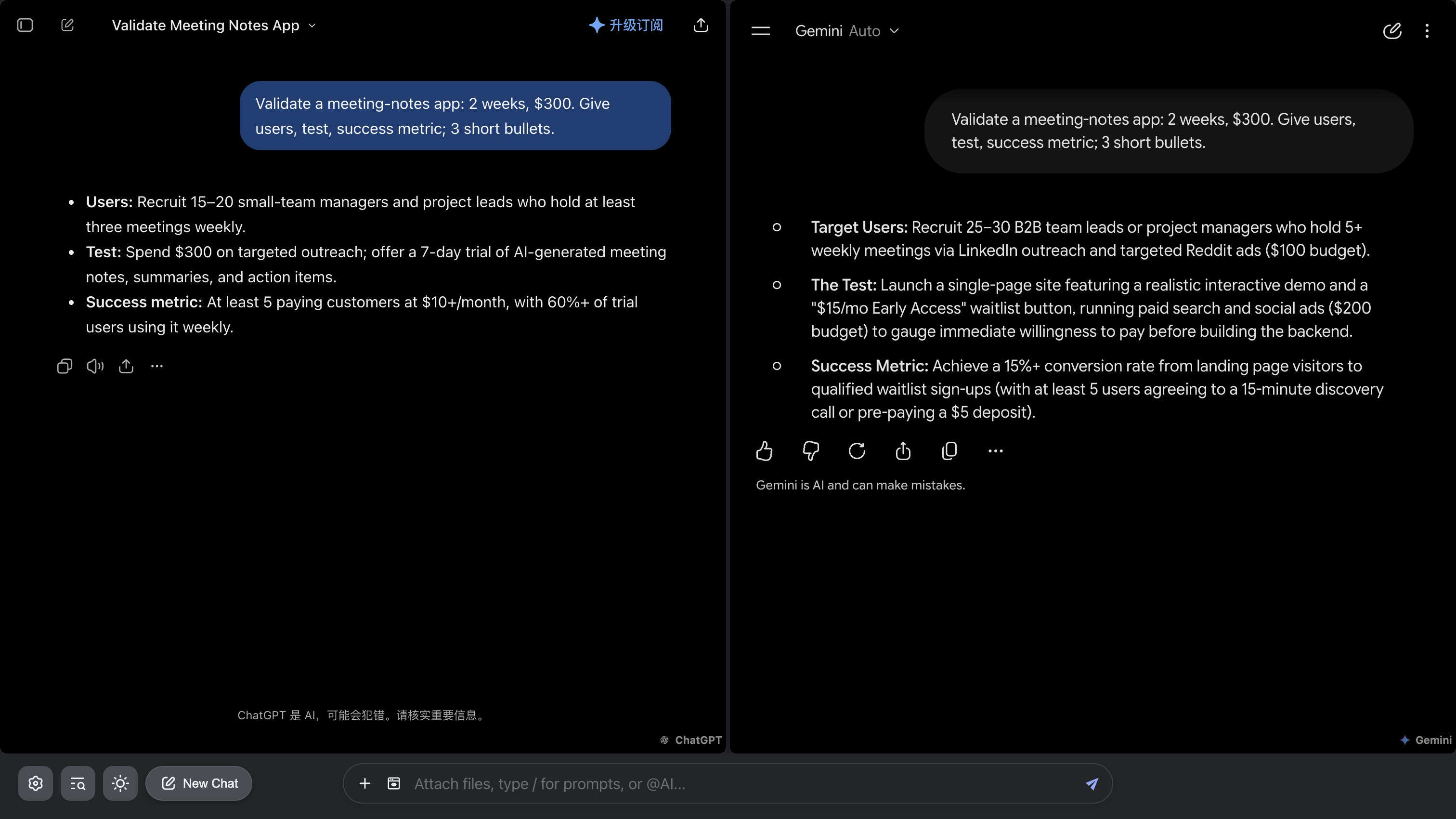
- Compare and continue: Find agreement, conflict, and omissions, then continue with one AI.
See your AIs side by side.
When comparison is worth it
- The answer will shape a report, plan, contract interpretation, or public document.
- The task depends on numbers, citations, regulations, timelines, or proper nouns.
- A complex plan may hide missing constraints or failure paths.
- Missing a passage in a long document would create costly rework.
How to read several answers
- Agreement: Check shared conclusions against original evidence; agreement alone is not proof.
- Conflict: When numbers, dates, citations, or conclusions differ, return to the original source.
- Unknowns: Treat a critical point raised by only one AI as a lead, not a fact.
How to ask a clearer question
- Ask one main question and state the background, constraints, and time range.
- Request a fixed output: conclusion, evidence, uncertainty, and next step.
- Include a minimal reproduction for code, or name the clauses to inspect in a document.
- If answers diverge widely, improve the question before adding more models.
FAQ
Do I need API keys?
No. ChatBrawl uses the official AI websites you are already signed into.
How many AI sites should I compare?
You can choose the number and combination. Start with familiar AIs, check that they respond, then add more as needed.
How does ChatBrawl work with each AI?
ChatBrawl displays the official AI sites in one workspace. Keep using your existing accounts and plans; models, search, and attachments depend on each site and the current adapter.
Related reading
Start with a question worth checking
Install and sign in to your usual AI sites. Send once, then inspect the answers side by side.